[ Live satellite tracking ]
EVERY SATELLITE
ABOVE YOUR HEAD.
RIGHT NOW.
OVERPASS is a desk device that shows the real-time position of every satellite passing over your location.
No app. No phone. No computer.
Plug into any USB charger. Always on.
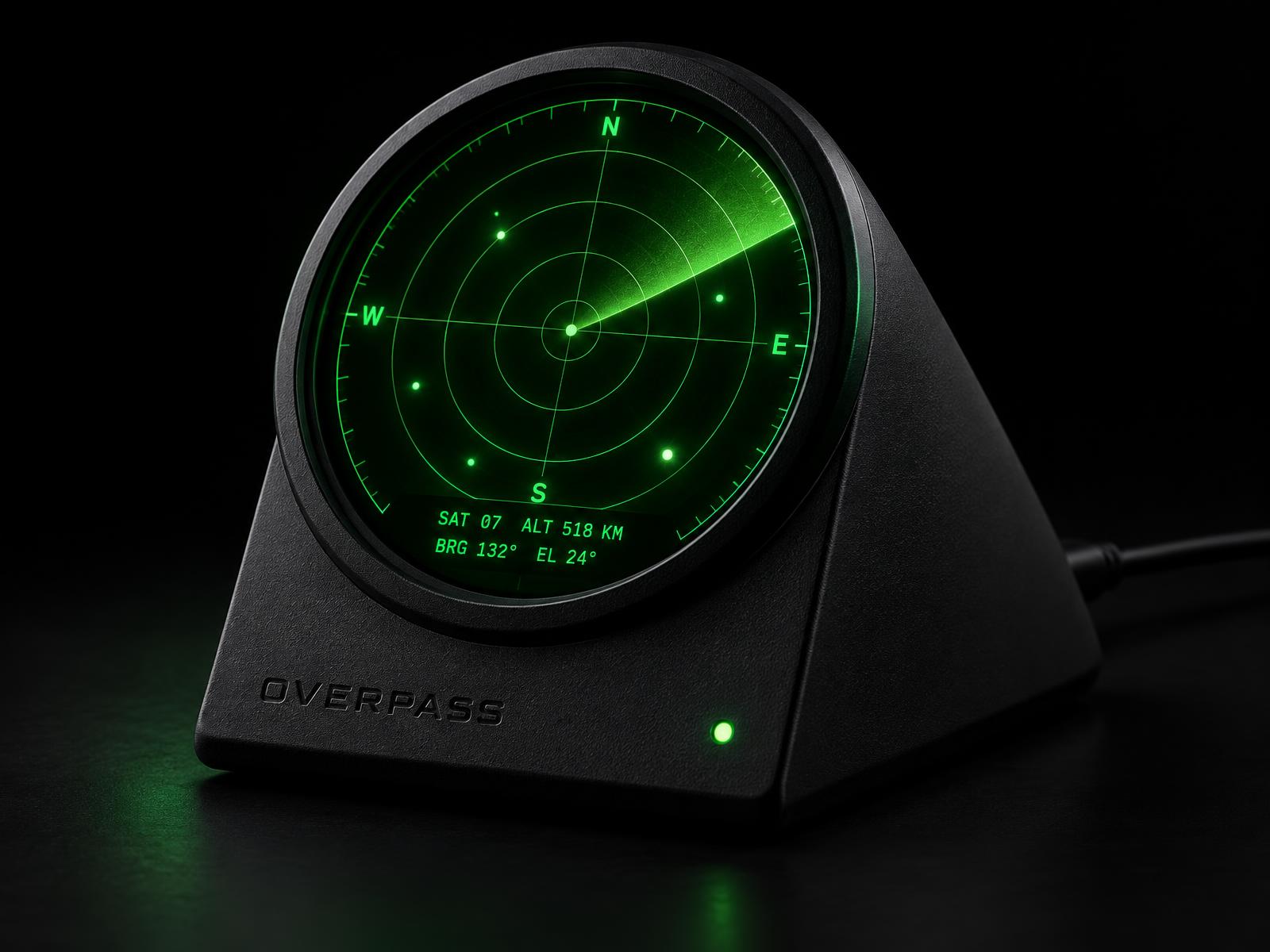
[ Simulated display — live data when connected ]
01 — PLUG IN. WALK AWAY.
Connect to the OVERPASS hotspot from your phone, enter your WiFi password and location. Takes 90 seconds. After that it runs on its own indefinitely — no computer, no app, no subscription. Plug into any USB phone charger and it just works.
02 — EVERYTHING IN ORBIT.
Pulls live tracking data for every object catalogued by the US Space Force — Starlink, ISS, GPS, weather satellites, debris. Over 9,000 objects. Updated every 30 seconds. The display shows what's actually above you, right now.
03 — IT TELLS YOU WHEN TO LOOK UP.
When the ISS or a Starlink train is minutes from passing over your location, OVERPASS switches to alert mode. It tells you exactly which direction to face and how high up to look. Go outside. You'll see it.
[ Specifications ]
- ENCLOSURE
- Matte black precision body with angled display stand
- DISPLAY
- 1.28" circular IPS, 240×240px, cardinal direction overlay
- CONNECTIVITY
- WiFi 802.11 b/g/n (2.4GHz)
- POWER
- USB-C 5V — any phone charger works
- DIMENSIONS
- Approx. 90mm wide × 75mm tall × 70mm deep
- SATELLITES
- 9,000+ tracked LEO objects
- UPDATE RATE
- Every 30 seconds
- SETUP
- 90 seconds via phone hotspot
- STATUS
- Green LED indicator on front face
Built by a space nerd
OVERPASS started as a question: how many satellites are passing over my house right now?
The answer is always more than you think. There's no object you can buy that quietly tracks the sky while you work.
So I built one.
A radar display that never turns off. Facing you. Always watching overhead. Ships with a USB-C cable. Plug it into your phone charger. That's it.
[ FAQ ]
Does it need a computer?
No. Never. Plug it into any USB phone charger. Setup takes 90 seconds from your phone's WiFi settings. After that it runs completely on its own.
How does setup work?
Plug it in. Your phone will see a WiFi network called OVERPASS-SETUP. Connect to it — a setup page opens automatically. Enter your home WiFi password and your location (postcode, zip code, or city name). Hit save. Done. It reboots and starts tracking within 60 seconds.
What satellites does it show?
Every object tracked by the US Space Force — around 9,000. Starlink, ISS, GPS, weather satellites, Hubble, and debris. The radar shows what's directly above your location.
Does it work outside the US?
Yes. OVERPASS works anywhere in the world with a WiFi connection. We currently ship within the US only.
What's the difference between the kit and the assembled version?
Same electronics, same enclosure, same firmware pre-installed. The kit arrives unassembled — you clip the display cable in and close the unit. Takes about 10 minutes. No soldering. The assembled version comes ready to plug in.